Applications & Architecture
Assess legacy code, upgrade unsupported components, and isolate modules that change frequently. Introduce APIs where a supported interface can simplify an inflexible integration.
Explore integration optionsLegacy Modernization
Legacy systems often support essential business operations. Modernization should improve adaptability, performance, and maintainability while carefully managing risk.
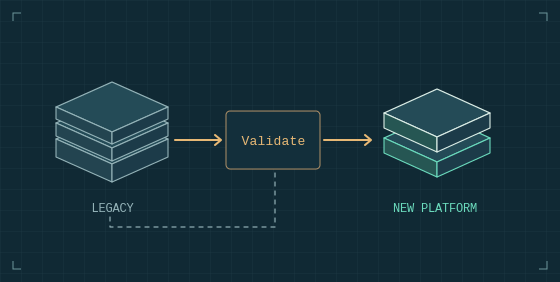
A slow end-of-month report, an unsupported runtime, or a departing specialist can make a stable system difficult to keep running. Each points to a different intervention.
We inventory dependencies, review maintenance and infrastructure costs, and learn where users rely on undocumented behavior. The assessment identifies what needs to change first and what the organization can continue to operate safely.
Assess legacy code, upgrade unsupported components, and isolate modules that change frequently. Introduce APIs where a supported interface can simplify an inflexible integration.
Explore integration optionsModernize schemas, tune performance, and map data between platforms. Rehearse migrations with representative records and agree on how counts, balances, and relationships will be verified.
Compare hosting options against workload, connectivity, recovery needs, and ongoing cost. Plan cloud migration or infrastructure upgrades around those operating requirements.
Bring overlapping systems together or replace one capability at a time. Track the dependencies between old and new components while teams transition.
Inventory applications, data, interfaces, owners, and business-critical operating windows.
Choose a first phase and agree on acceptance criteria, decision owners, and a rollback point.
Back up data, test restoration, define access, and rehearse the cutover in a suitable environment.
Move the agreed workload and capture changes made during the transition.
Reconcile records, run representative business tasks, and check performance with the people who depend on it.
Address issues found in production, document the new operating model, and plan the next phase.
Before a migration starts, agree on who can authorize the switch, the maximum acceptable interruption, and the checks that must pass. If a check fails, the team needs a clear decision point.
A rollback plan also accounts for transactions recorded after cutover. During rehearsal, we test how those records would be recovered or reconciled before the previous system resumes service.
Sometimes a supported runtime, database change, or new integration resolves the immediate constraint. We compare the cost and operating risk of targeted changes, phased replacement, and a rebuild.
Many projects allow continued use during preparation and staged migration. The final cutover may need a maintenance window. We identify that window and rehearse the sequence with your team.
We agree on field mappings, validation rules, backup access, and reconciliation checks before moving data. Exceptions are recorded for review by the appropriate business owner.
Only when it fits the workload and operating model. We consider existing infrastructure, dependencies, data location, support capacity, and ongoing costs when evaluating the options.
Tell us what the application supports, where it is showing its age, and which operating windows or dependencies shape the project.